info@uptenza.com
Uptenza
Server & Infrastructure Monitoring

Complete Server Visibility in Real Time

Monitor CPU, memory, disk, network, containers, and cloud instances from one unified view. Spot performance issues early, understand resource health, and respond before they impact your services.

Server MonitoringDocker MonitoringCloud MonitoringLinux & WindowsAlertingIncident Management
24/7Server monitoring
CPU · RAM · DiskResource visibility
InstantIssue alerts
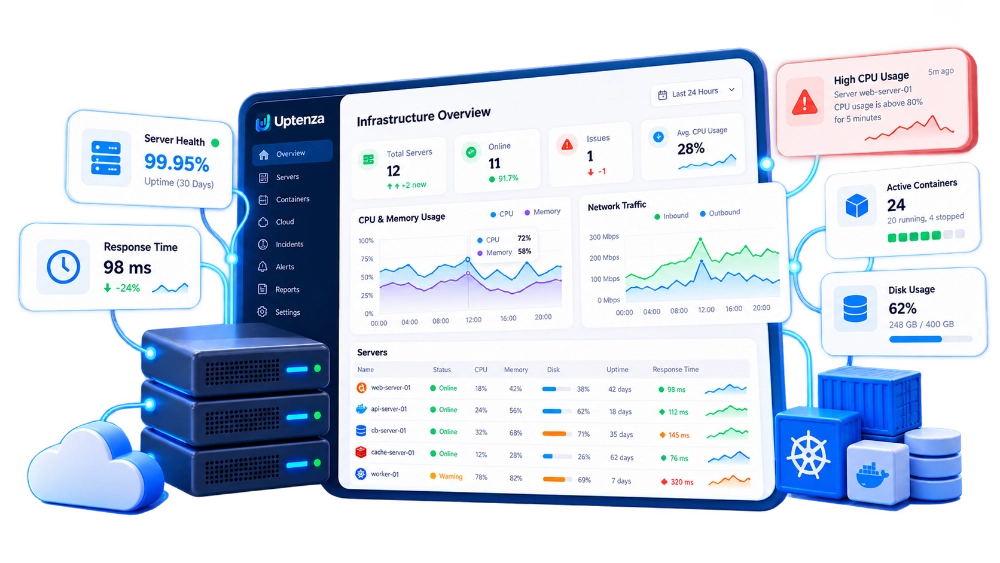
Uptenza server health monitoring dashboard
Reliable infrastructure visibility

Comprehensive Server Monitoring

Monitor every aspect of your infrastructure with powerful and easy-to-use monitoring tools.

CPU, Memory & Disk

Track resource usage, disk space, and system health in real time.

Linux & Windows

Monitor servers and cloud instances across different operating systems.

Containers & Services

Keep Docker containers and critical services visible and healthy.

Threshold Alerts

Get notified before resource pressure becomes an incident.

Real-time monitoring

Detailed Resource Monitoring

Track CPU, memory, disk, network and system metrics with real-time graphs and historical data.
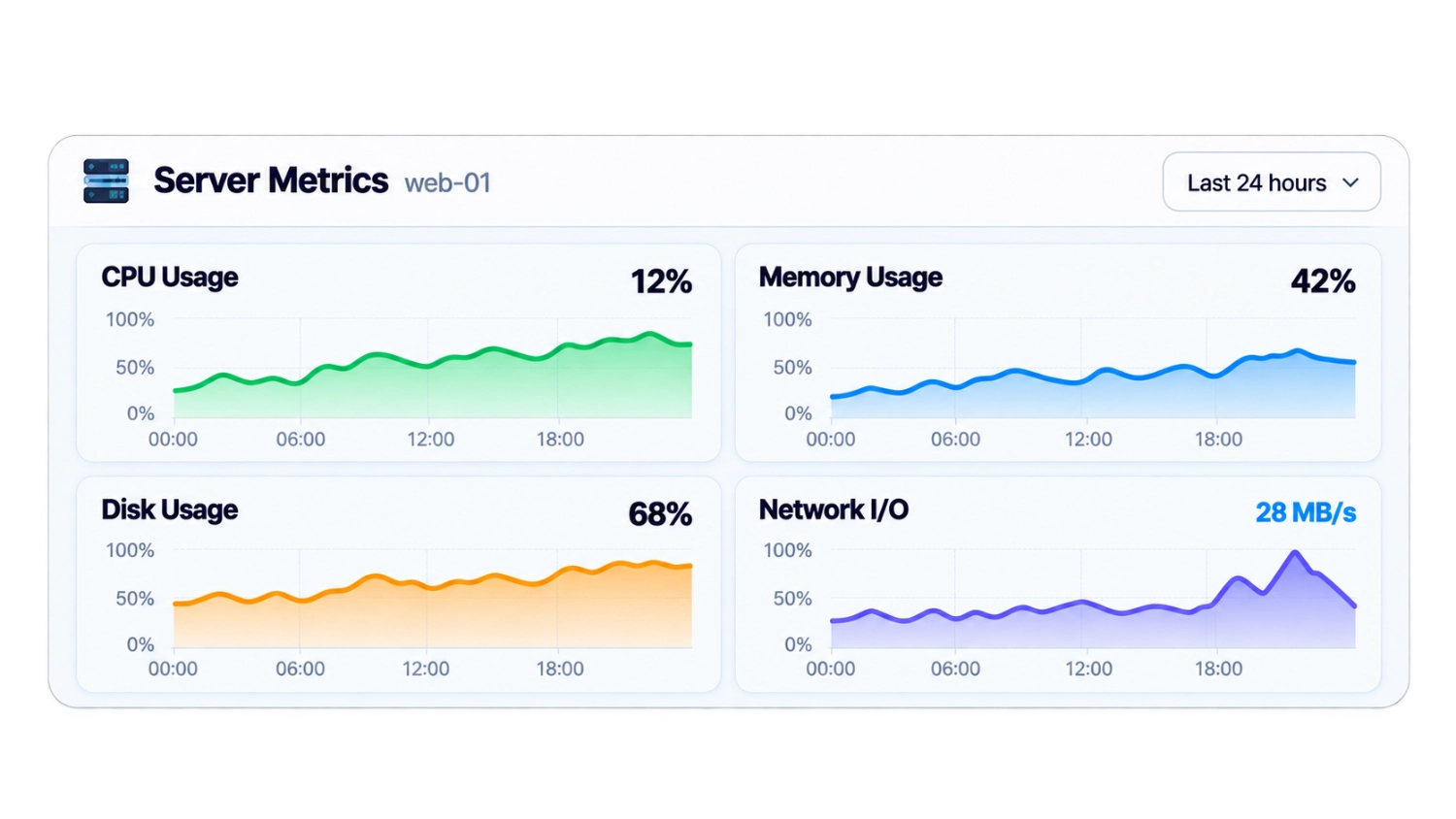
  • Real-time and historical metrics
  • CPU, memory, disk and network usage
  • System load, uptime and process monitoring
  • Custom thresholds and alert rules
Uptenza server metrics dashboard with resource charts
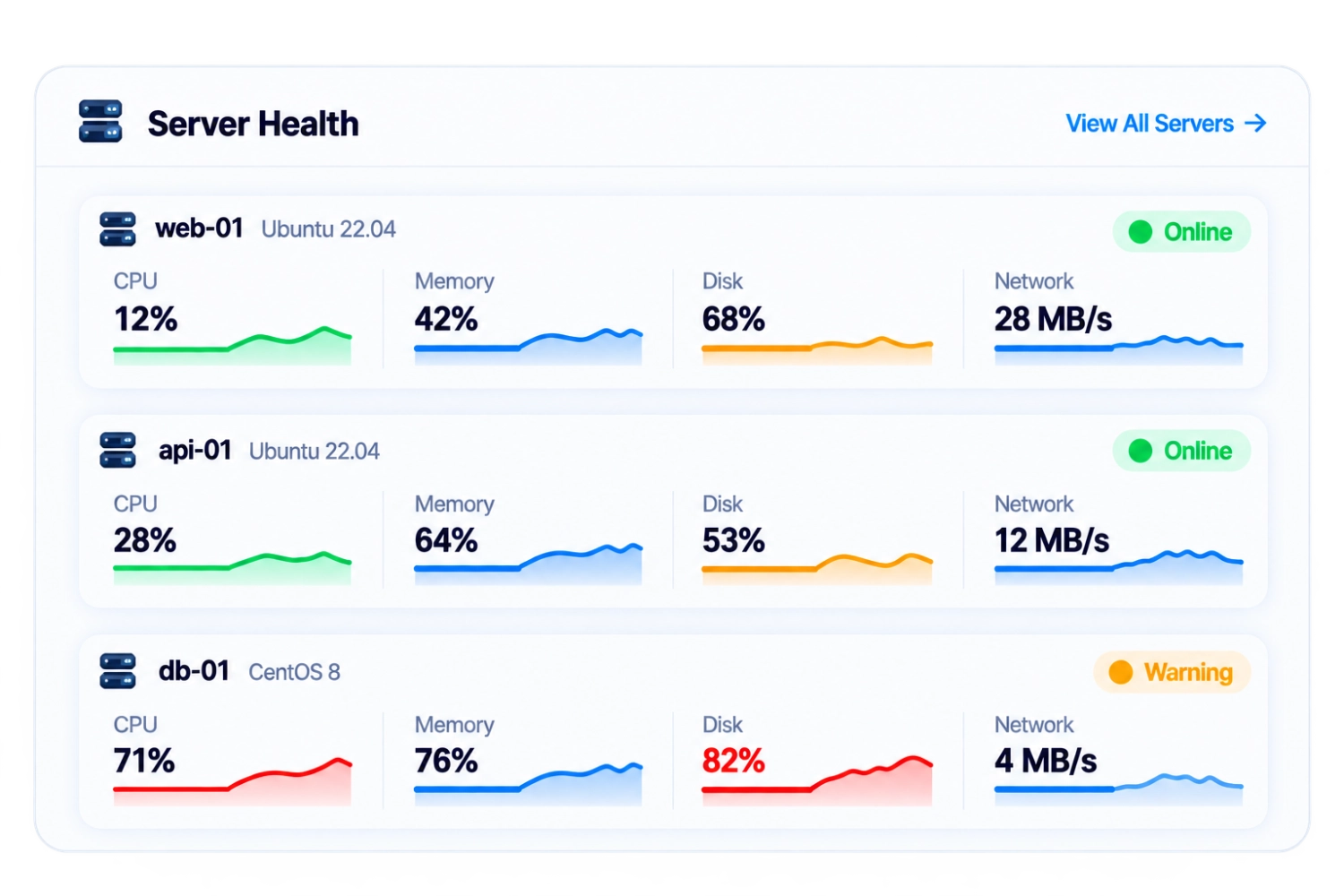
Uptenza server inventory and infrastructure health dashboard
Infrastructure overview

Server Inventory & Health

Get a complete overview of all your servers, cloud instances and infrastructure components in one place.

  • Monitor multiple servers and environments
  • Track agent status and system uptime
  • View server details and resource usage
  • Organize servers with tags and groups
Uptenza agent

Simple Agent Installation

Get started in minutes with the Uptenza Agent. A lightweight Go agent that securely collects system metrics and sends them to Uptenza.
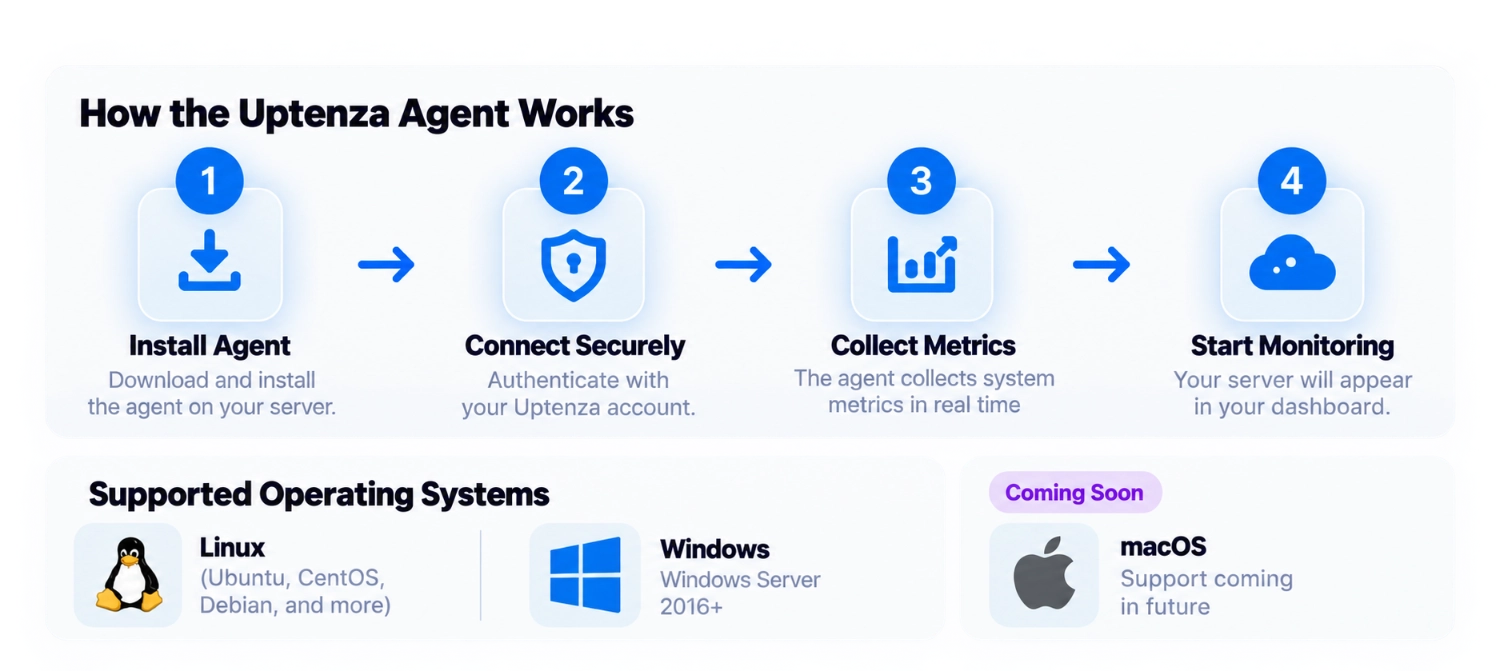
  • Quick and simple installation
  • Supports Linux and Windows
  • Secure and authenticated connection
  • Low resource usage
Uptenza agent installation and monitoring workflow
Docker monitoring

Container & Service Visibility

Monitor Docker containers, services, and containerized applications alongside your server infrastructure.
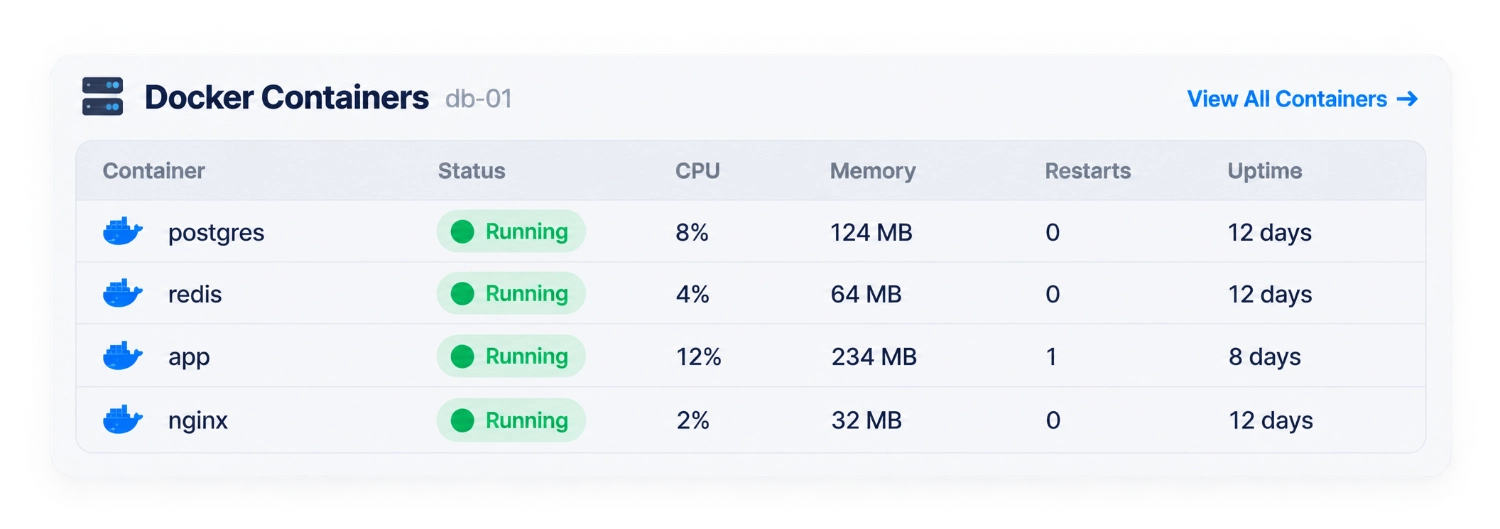
  • Monitor container resource usage
  • Track container status and health
  • View container restarts and logs
  • Monitor Docker Compose services
Uptenza Docker containers and service monitoring dashboard
Performance history

Historical Performance & Trends

View detailed historical data to identify trends and plan your infrastructure needs.
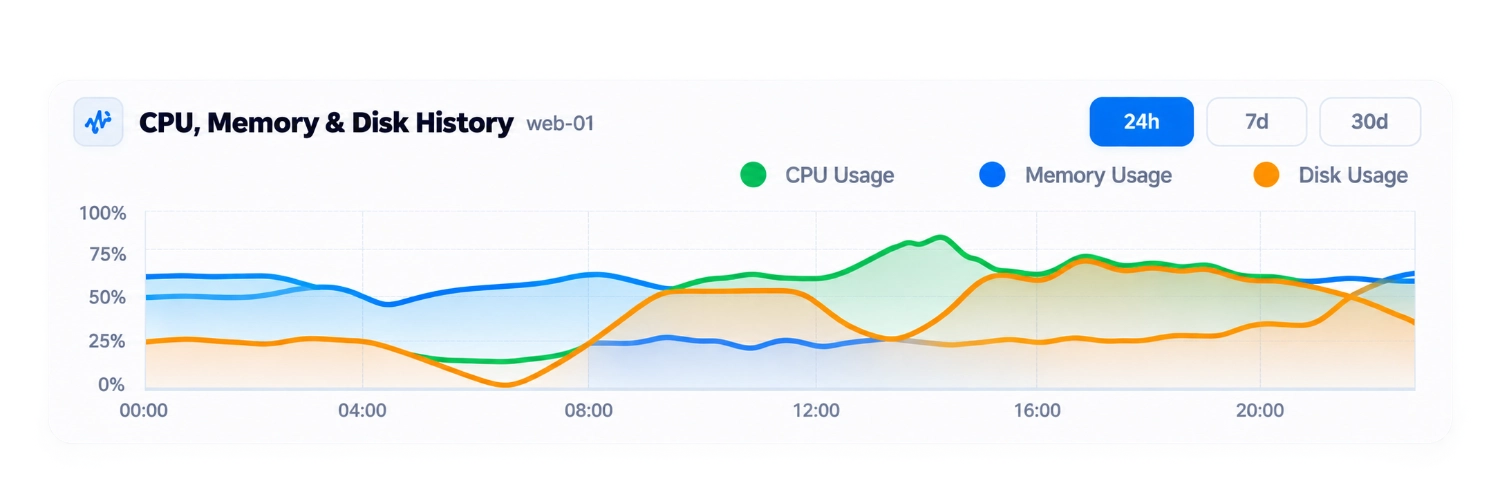
  • CPU, memory, disk and network history
  • Analyze trends and usage patterns
  • Multiple time ranges (24h, 7d, 30d)
  • Identify potential issues early
Uptenza historical server performance and trends dashboard
Alerts & incident response

Smart Alerts for Proactive Response

Set custom thresholds and get notified instantly when resource usage exceeds your limits. Reduce downtime with faster incident response.
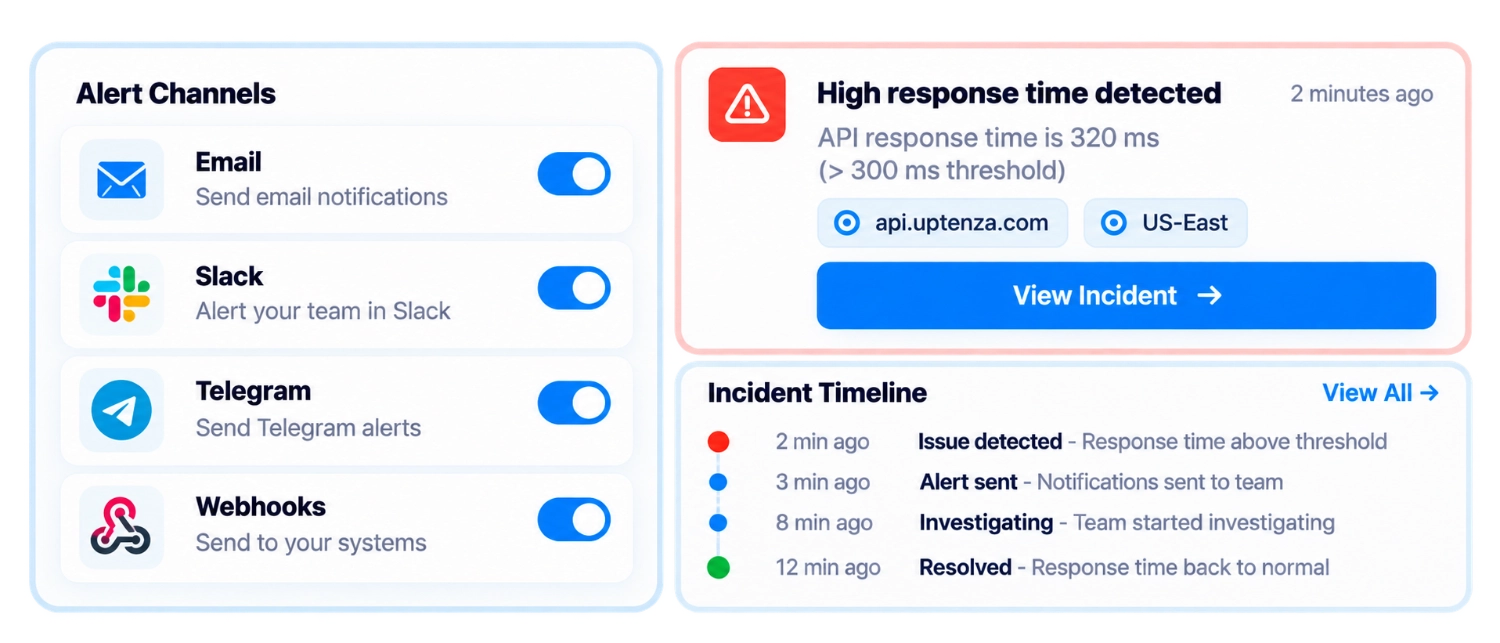
  • Custom threshold alerts
  • Multi-channel notifications
  • Detailed incident timeline
  • Integrate with incident management
Uptenza smart alert rules and incident response dashboard
Supported infrastructure

Works With Your Infrastructure

Monitor any infrastructure, from on-premise servers to cloud instances and containers.

Uptenza supported infrastructure platforms
FAQ

Frequently Asked Questions

Find quick answers to common questions about server monitoring.

How do I install the Uptenza agent?

Use the verified Uptenza documentation route for setup guidance. This page shows an illustrative workflow only.

What operating systems are supported?

Linux and Windows are shown in the product workflow. Additional support should be confirmed in the documentation.

Can I monitor Docker containers?

Docker containers and services are represented as a supported monitoring workflow in the product experience.

What metrics are collected by the agent?

The illustrative agent workflow includes CPU, memory, disk, network, and system health metrics.

How are alerts sent?

Alerts can be routed through the notification and incident workflows configured for your team.

Can I monitor cloud instances?

Cloud instances are represented in the infrastructure monitoring workflow; confirm provider details in documentation.

Keep Your Infrastructure Healthy

Start monitoring your servers and services with Uptenza.