Incident Tracking
Create and track incidents automatically or manually.
Bring every incident, event, owner, and action into one shared timeline. Coordinate response, document root cause, and turn every incident into faster recovery and better systems.
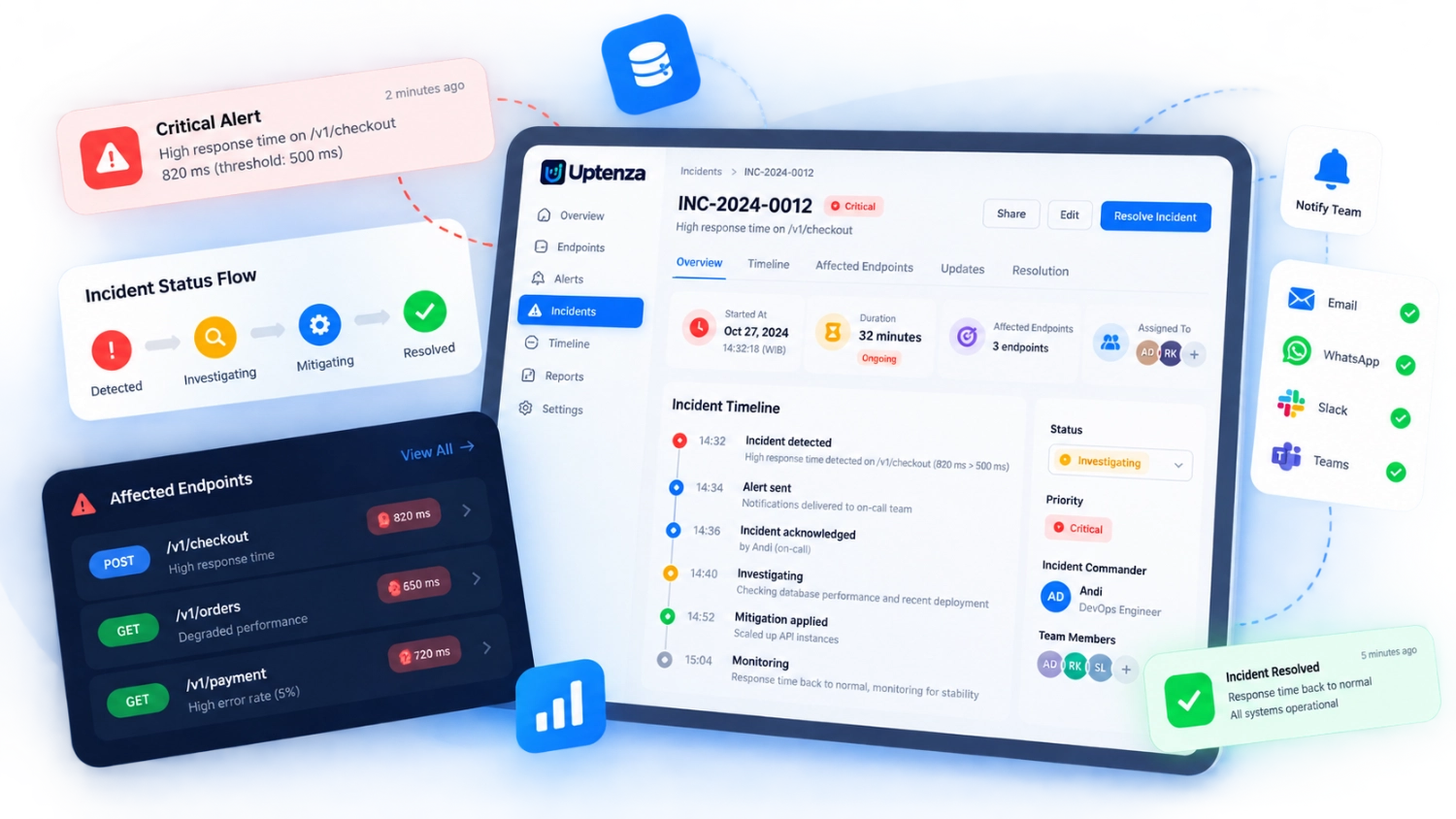
From detection to resolution, Uptenza helps your team manage incidents efficiently and keep everyone aligned.
Create and track incidents automatically or manually.
Keep your team aligned with real-time updates and notes.
Get full visibility into every event and action.
Document root causes and action items for improvement.
Track MTTR, incident trends, and team performance.
Connect with monitoring tools and alerting systems.
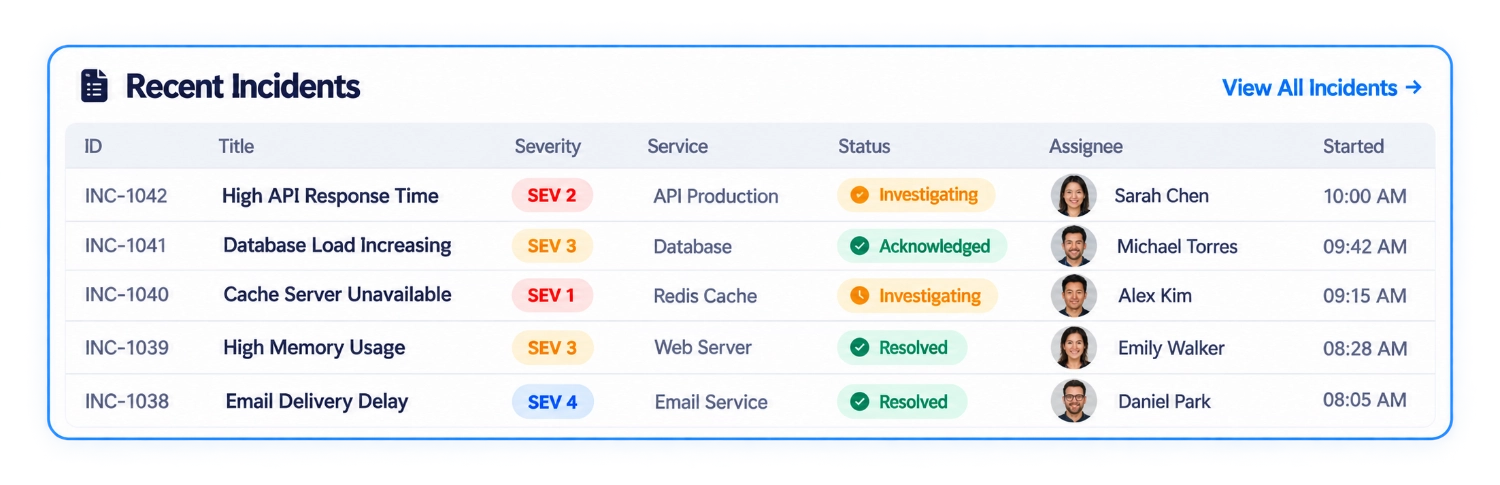
Get a clear overview of all incidents across your infrastructure with real-time status, severity, and ownership.
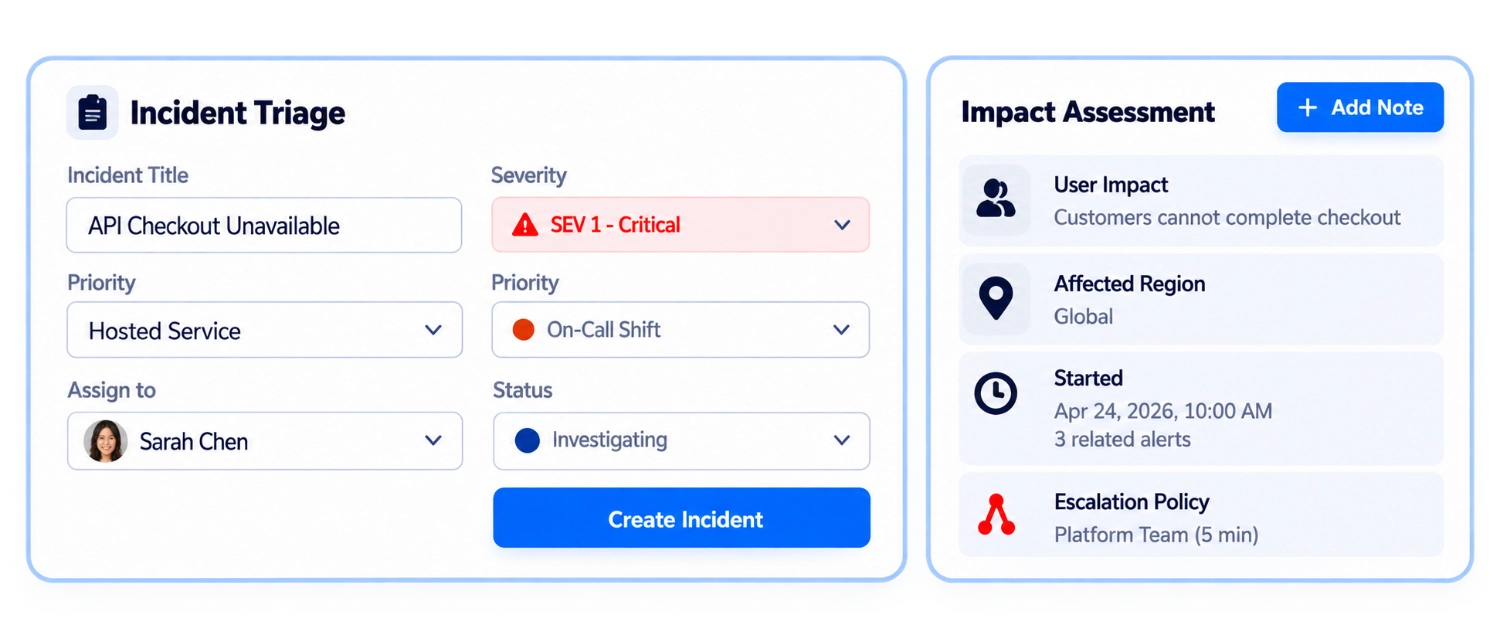
Set the right severity, assign to the right team, and start investigation with all the context in one place.
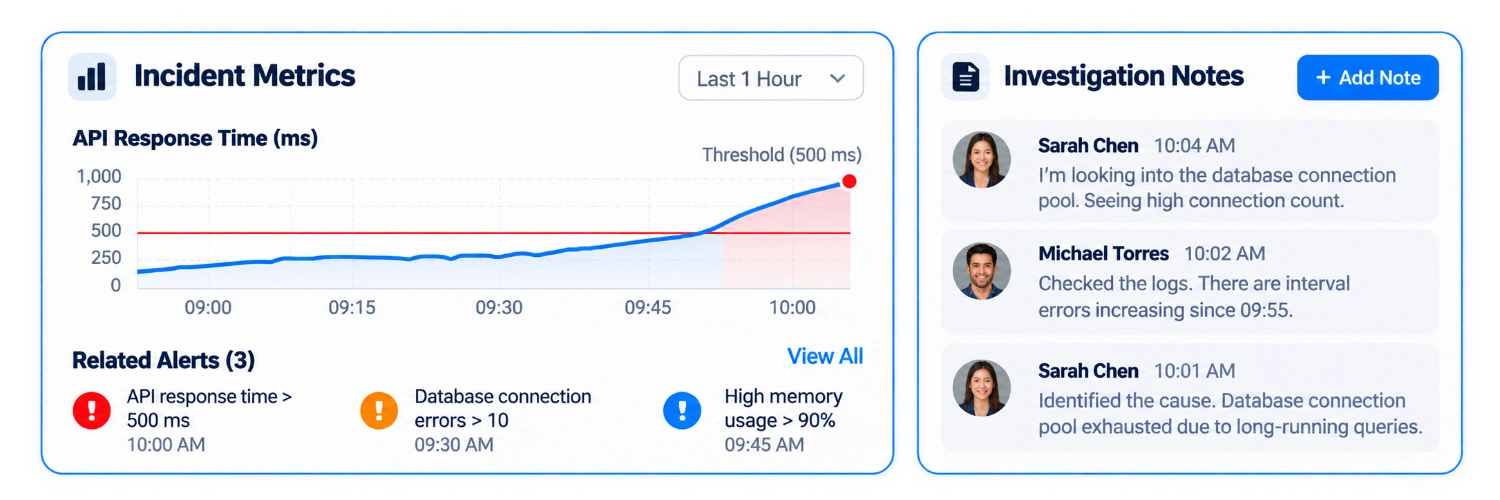
Bring together metrics, logs, alerts, and team notes to investigate and resolve incidents faster.
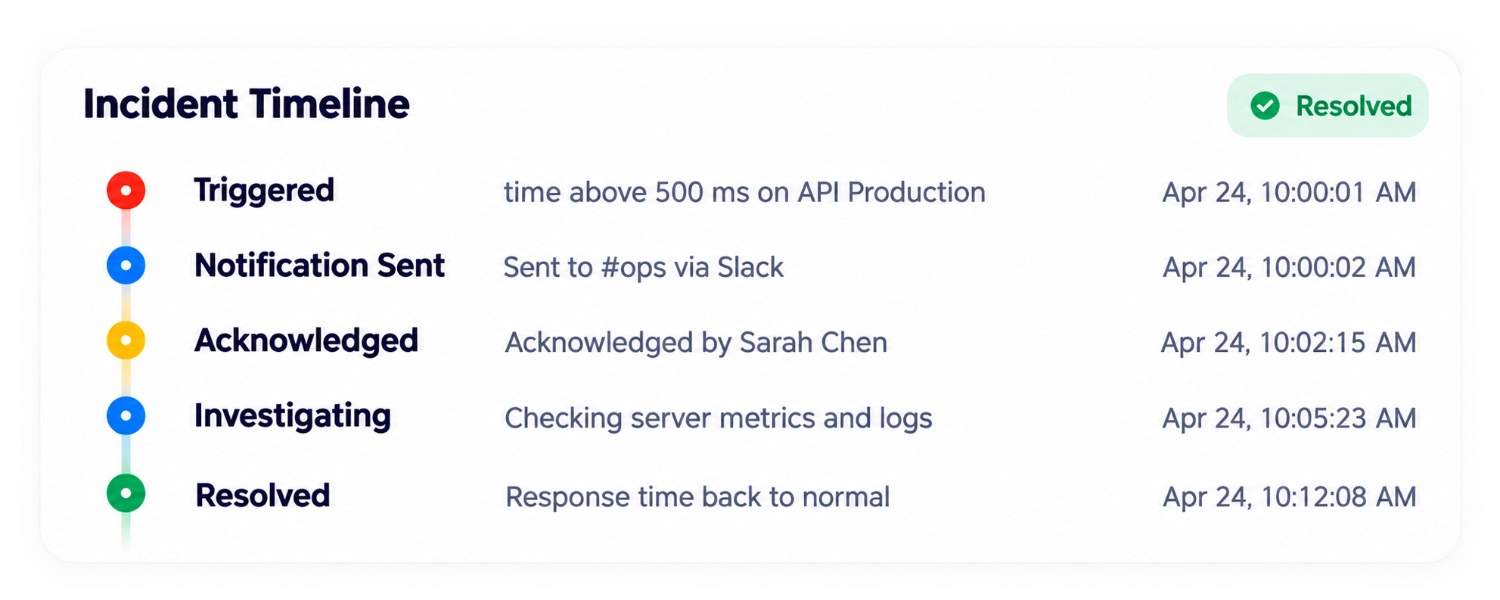
Follow every step of the incident response process with clear timelines and status updates.
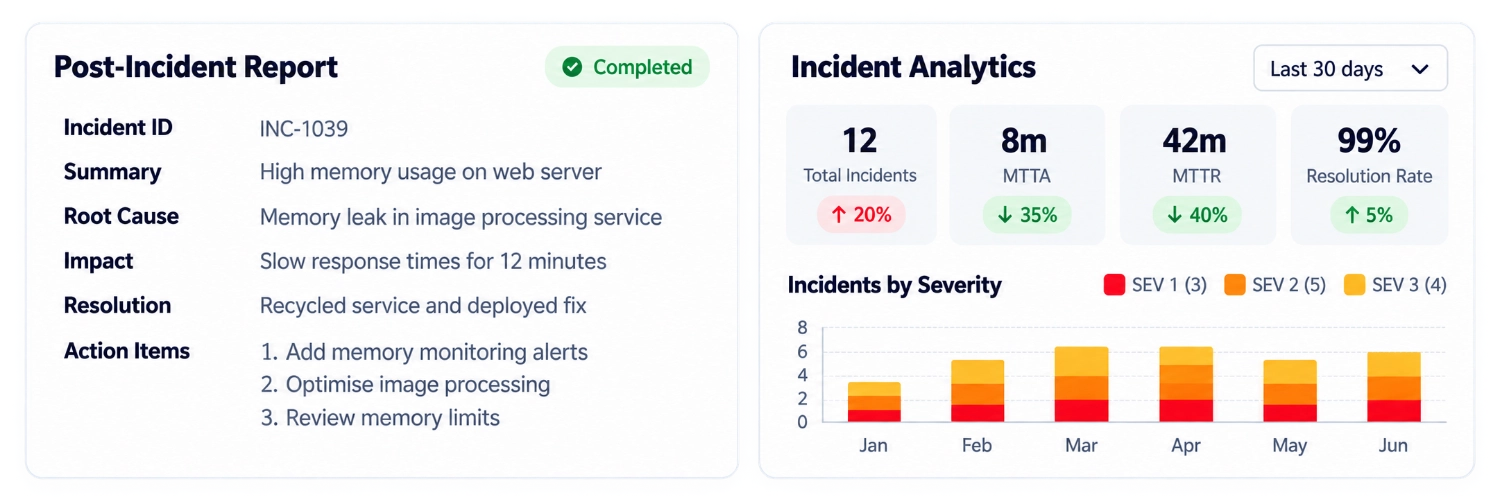
Document what happened, why it happened, and how to prevent it in the future.
Find answers to common questions about incident management.
Incident management brings alerts, ownership, timelines, and resolution context together so teams can respond with clarity.
Incidents can be represented from monitoring events or created by a responder using the incident workflow shown in this product preview.
The page illustrates a manual incident creation flow with severity, priority, service, assignee, and status fields.
Escalation policies help route an unacknowledged incident to the right team or owner.
Uptenza is designed to connect monitoring signals with the tools and channels your team already uses.
The review panel demonstrates a structured place to document impact, root cause, resolution, and follow-up actions.
Give your team the context and workflow to respond faster.